On this page
Mobile working views
Goal and requirements
Complete prioritised work on the mobile device and recognise which changes have synchronised. You need the current app version, an active workspace, network access for synchronisation and the relevant module permissions.
Android and iOS only show modules that are enabled for product, workspace and account. Navigation and push targets build on the same permission logic.
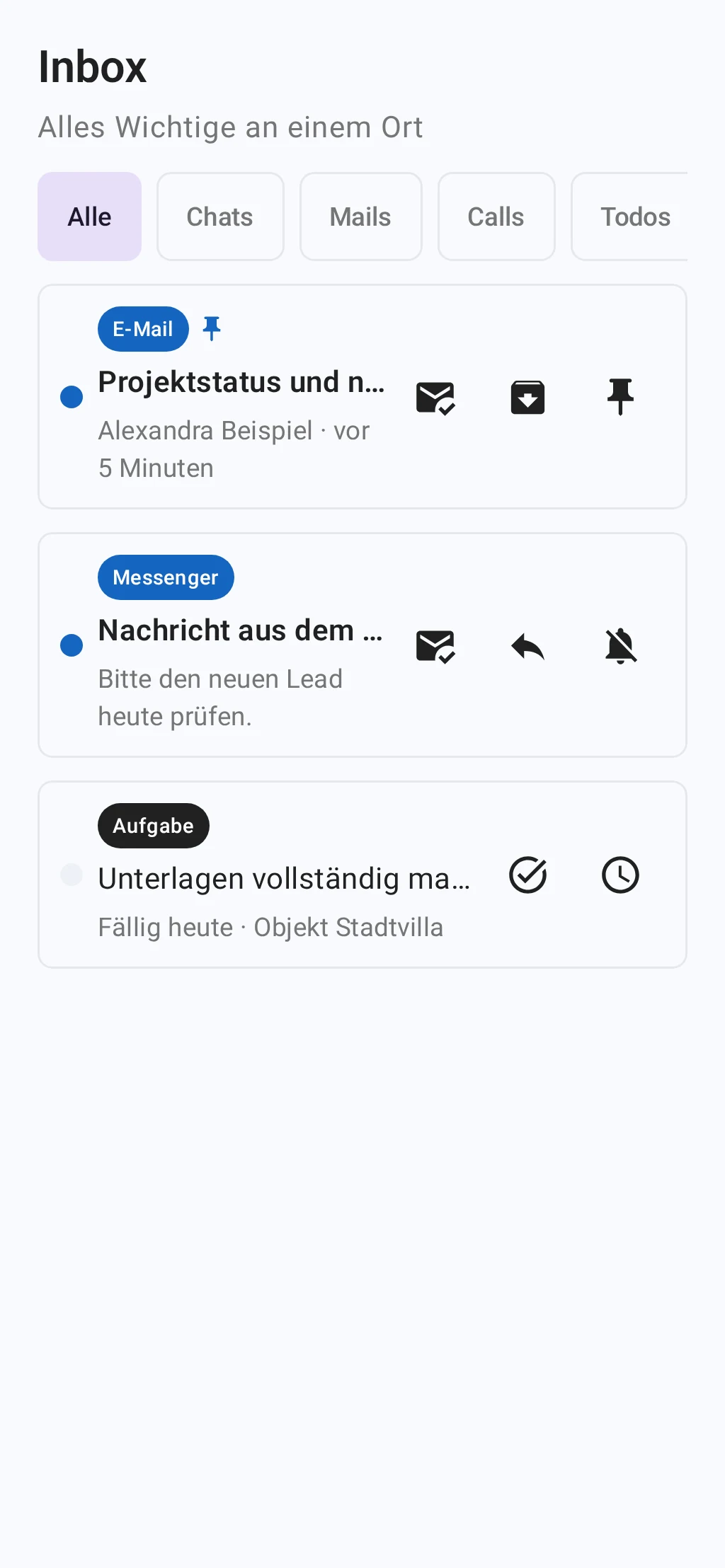
Mobile Inbox
- Open Inbox or tap an associated push message.
- Check sender, time, workspace and event type before you act.
- Open the target and complete the task in the relevant module.
- Update the inbox. A completed item can still appear briefly in the cache.
Result
Relevant work is prioritized for mobile use and opens the correct record without bypassing the web application's permissions.
Offline, synchronization and security
- An offline indication means that data may be obsolete. Confirm critical changes only after successful synchronization.
- Push messages may contain confidential notices. Activate a device lock and hide previews on the lock screen if necessary.
- Signing out or clearing app data removes locally stored session data; unsynchronized drafts can be lost.
Troubleshooting
- A module is missing: Check the active workspace, your role, and the enabled product capabilities.
- Data appears outdated: Restore the network connection and refresh the view again.
- A push target does not open: Open the relevant area from the main navigation and check whether the record still exists.
- The app remains empty after signing in: Sign out, restart the app, and select the workspace again.